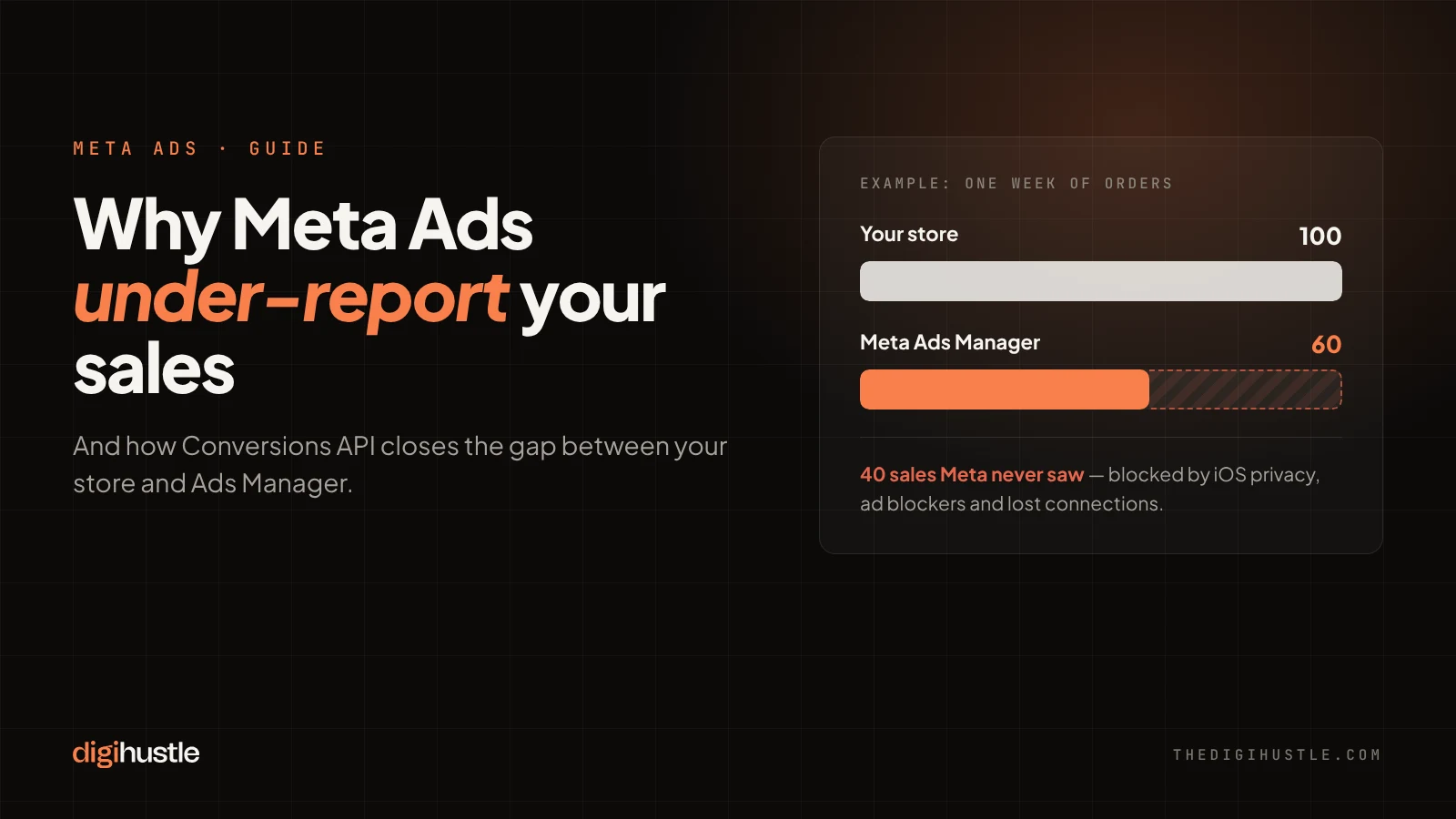
- The Meta Pixel misses sales because of iOS privacy limits, ad blockers and lost connections.
- Meta Conversions API (CAPI) sends sales from your server, so Meta sees more of your real buyers.
- Missing sales hurt more than reports: Meta’s algorithm learns from the buyers it can see.
- Most “CAPI is on” setups still have gaps: double-counting, no order value, or low Event Match Quality.
- You can check your own setup in about 5 minutes in Events Manager.
If Meta Ads Manager shows fewer purchases than your store does, your ads are probably working better than they look. Say Shopify records 100 orders in a week, but Ads Manager credits Meta with 60. Some of those 40 missing sales came from people who saw your ads. Meta just never found out.
That gap is not only a reporting problem. Meta’s algorithm learns from the conversions it can see. When it misses a large share of your buyers, it optimises for the wrong people, and your cost per purchase creeps up.
The fix most brands need is Meta Conversions API, usually called CAPI. This guide explains, in plain words, why the gap happens, what CAPI does about it, the three setup mistakes we find most often, and how to check your own account in five minutes.
1. Why Meta misses some of your sales
The Meta Pixel is a piece of code that runs in your visitor’s browser. When someone buys, the pixel tells Meta. The problem is that browsers are no longer reliable messengers.
- Apple’s privacy changes. Since iOS 14.5, iPhone users can opt out of app tracking, and many do. Safari also limits how long tracking cookies last.
- Ad blockers and privacy browsers. Many of them stop the pixel from loading at all.
- Lost connections. A buyer closes the tab before the thank-you page loads, or a slow mobile network drops the request.
- Cross-device journeys. Someone sees your ad on Instagram on their phone, then buys on their laptop two days later.
Each of these quietly removes a purchase from Meta’s view. None of them shows up as an error, which is why many brands don’t realise how much they are missing.
2. What Meta Conversions API does
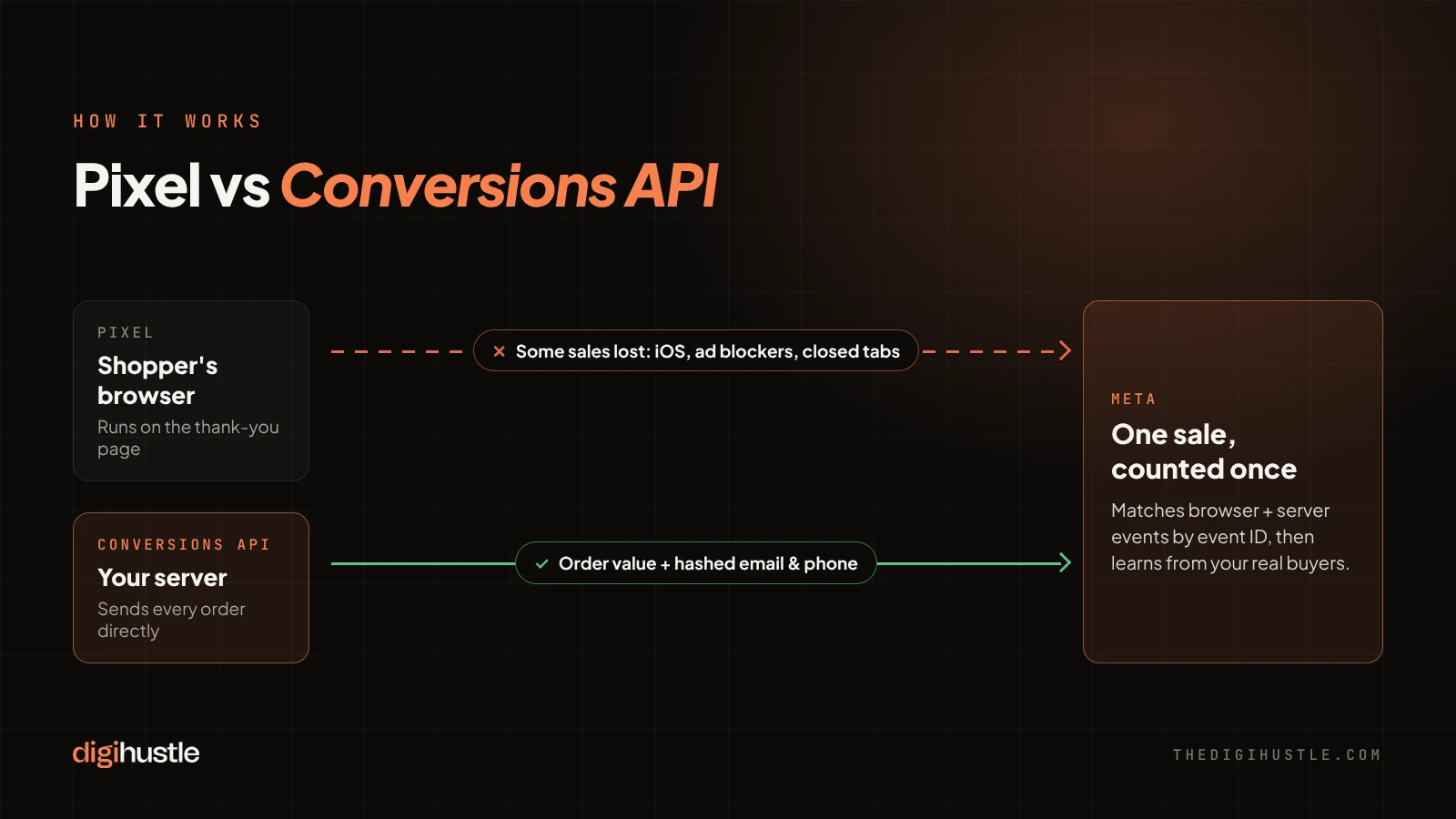
Conversions API sends your sales to Meta from your server, not from the shopper’s browser. When an order is placed, your store or tracking setup sends the details straight to Meta. Ad blockers and browser limits can’t interfere, because the browser isn’t involved.
CAPI doesn’t replace the pixel. Meta recommends running both together. The pixel still captures browsing behaviour in real time, and CAPI fills in the purchases the pixel misses. Meta then merges the two so each sale is counted once.
With each event, Meta Conversions API can also send customer details such as email address and phone number. These are scrambled (hashed) before they leave your server, and Meta uses them to match the sale to the person who saw your ad.
For the technical detail, see Meta’s Conversions API documentation.
3. Why it affects your ROAS, not just your reports
Better tracking doesn’t only make your dashboard look nicer. It changes how Meta spends your budget.
Meta’s delivery system decides who sees your ads based on who has bought before. If it only sees 60% of your buyers, it builds its picture of a “good customer” from an incomplete sample. Feed it the full picture and it can find more people like your real buyers.
The same goes for your lookalike audiences and retargeting lists, which are built from the purchases Meta knows about. And it affects your own decisions: if Ads Manager under-reports, you may cut a campaign that is actually profitable. Before you judge any campaign’s ROAS, make sure the sales feeding that number are complete. Our ROAS calculator shows the break-even ROAS you need to hit.
4. The three setup mistakes we see most
Many brands tell us “we already have CAPI”. Often it’s switched on but not set up properly. These are the three problems we find most often when we audit an account.
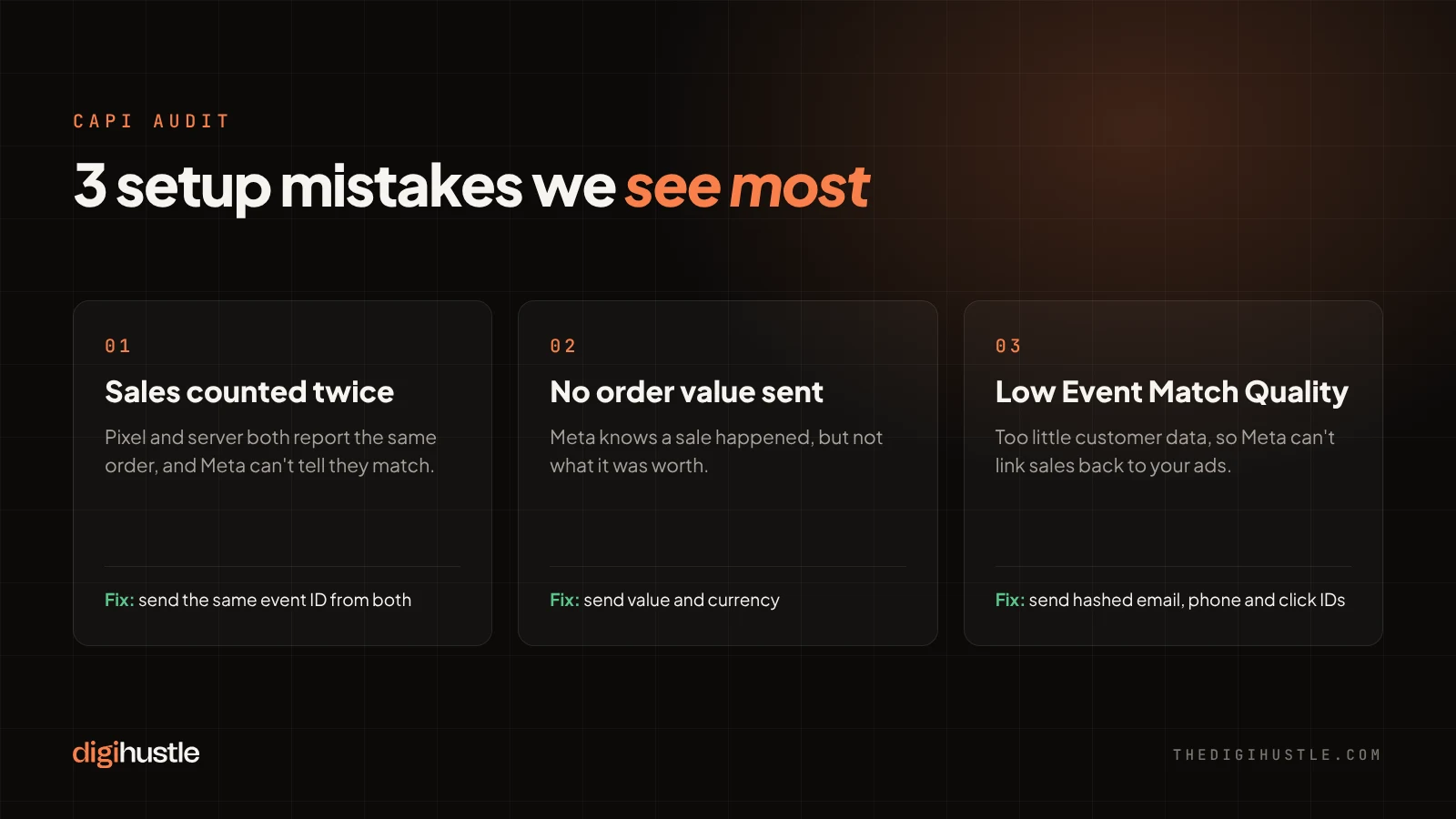
- Sales counted twice. If the pixel and CAPI both report the same purchase and Meta can’t tell they’re the same, it counts two sales. Meta matches them using the event name and a shared event ID. When that ID is missing or different on each side, your ROAS looks better than it really is, and the algorithm learns from inflated numbers.
- No order value sent. Some setups tell Meta that a purchase happened, but not how much it was worth. Without the value and currency, Meta can’t optimise for higher-value buyers, and value-based ROAS reporting won’t work.
- Too little customer information. If CAPI sends only the bare event, Meta struggles to match it to a real person. Meta scores this as Event Match Quality, from 0 to 10. A low score means many of your server-side sales still can’t be linked back to your ads, so the gap stays partly open.
None of these show up as errors. The setup looks “connected” while quietly reporting the wrong numbers.
5. Check your own setup in 5 minutes
You don’t need a developer for this. Open Meta Events Manager and work through these checks.
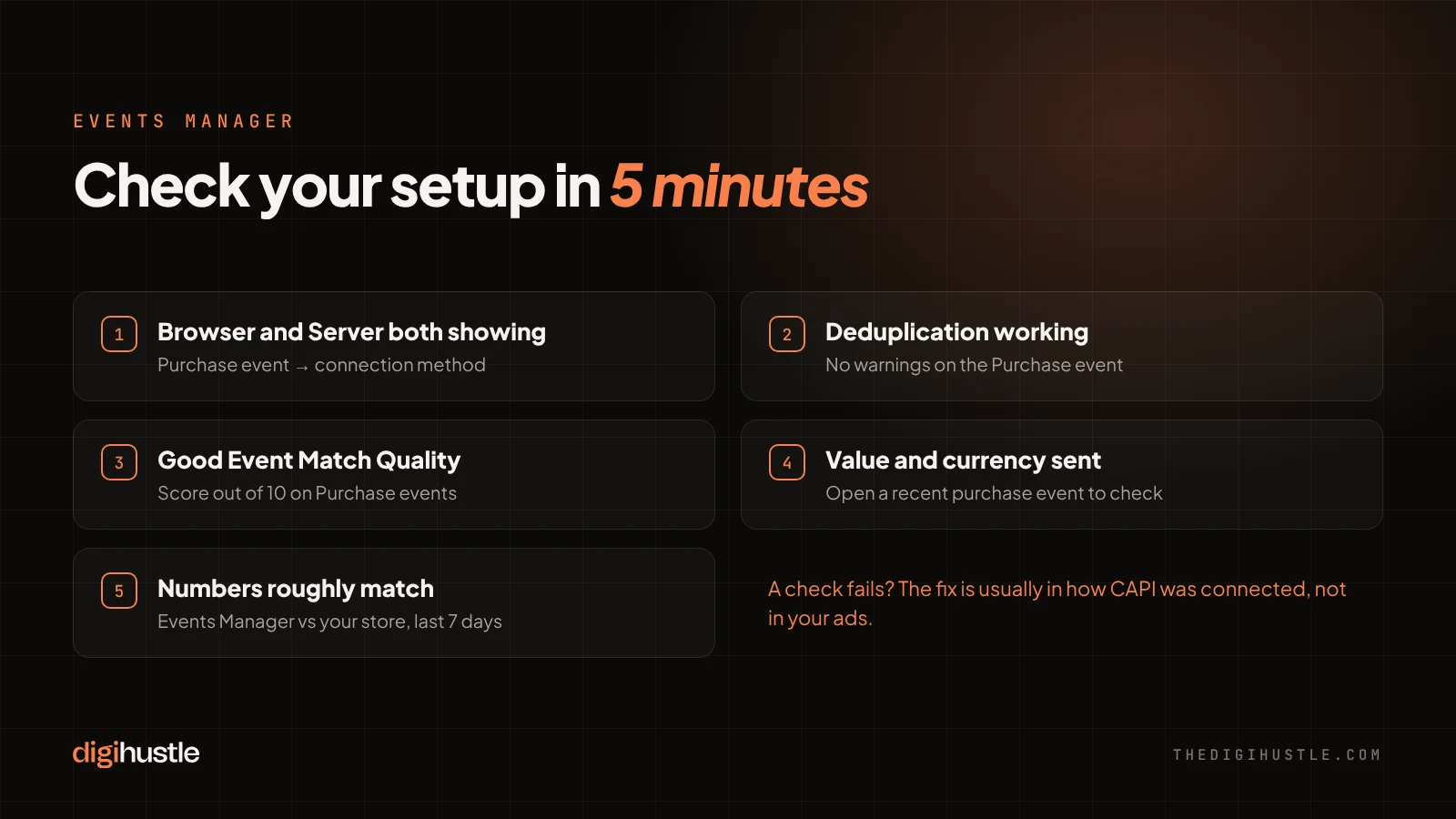
- Is the server sending events? Go to Events Manager, open your dataset (pixel), and click the Purchase event. Under connection method, you should see both Browser and Server. If you only see Browser, CAPI isn’t running.
- Is deduplication working? In the same Purchase event view, look for the deduplication section. Meta shows whether it’s matching browser and server events. A warning here usually means sales are being double-counted.
- What is your Event Match Quality? Purchase events show a score out of 10. Meta grades it from poor to great. If yours is low, you’re probably not sending enough customer details with each event.
- Is the value coming through? Open a recent purchase event and check that it includes a value and currency.
- Do the numbers roughly match? Compare last week’s purchases in Events Manager with your store’s orders. They will never match exactly, but a large gap means something is still missing.
If any of these checks fail, the fix is usually in how CAPI was connected, not in your ads.
6. How to set up CAPI: three options
The right option depends on your platform, your budget and how much control you need.
| Option | Best for | Effort | Trade-off |
|---|---|---|---|
| Built-in integration (Shopify, WooCommerce and other platforms’ Meta apps) | Most D2C brands starting out | Low, mostly settings | Limited control over which events and details are sent |
| Partner tracking app | Brands wanting better match quality without a developer | Low to medium, usually a monthly fee | Another tool to pay for and maintain |
| Server-side Google Tag Manager | Brands with several ad platforms or custom checkouts | High, needs a developer and hosting | Most control and accuracy, but more to maintain |
Whichever you choose, check deduplication, order value and Event Match Quality after setup, using the checks above. Turning CAPI on is the easy part. Making sure it sends clean, complete data is where most of the gains are.
Running Google Ads too? Read our guide on switching Google Ads agencies without losing performance, or see our Meta Ads management service.

Nitin Jain is the founder of DigiHustle. He has 15+ years of hands-on paid media experience across Google Ads and Meta Ads, specialising in conversion tracking, account structure and turning ad spend into qualified leads and sales. Connect on LinkedIn